Best Free AI Voice Generators in 2026: Top Tools Compared
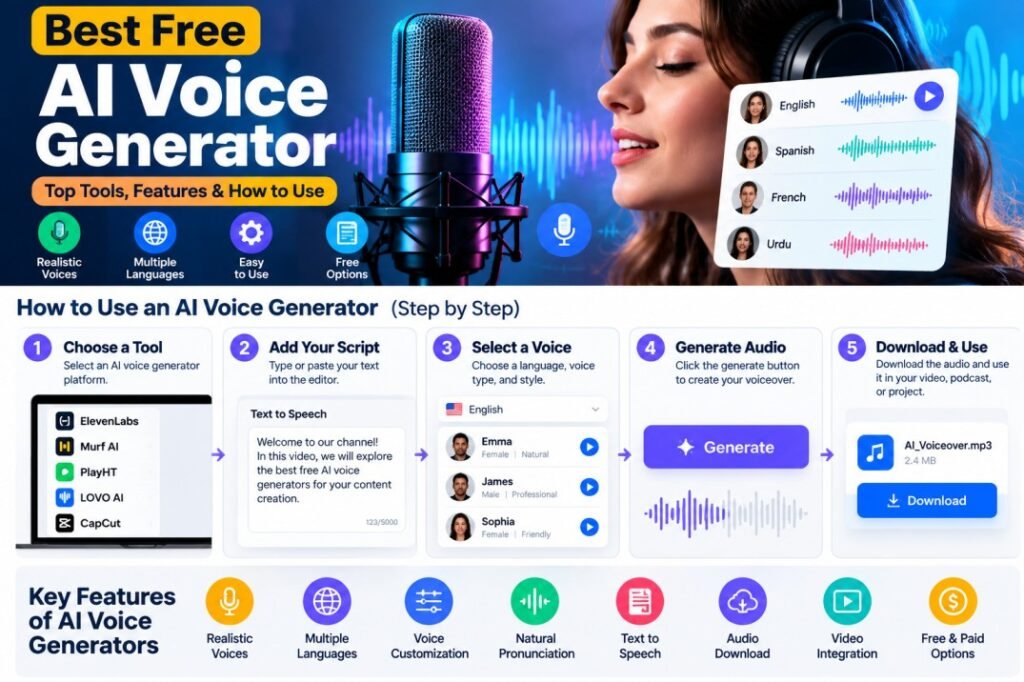
AI voice technology is changing the way people create videos, podcasts, presentations, and social media content. Instead of recording every sentence yourself, you can now turn a written script into natural-sounding speech within minutes.
The challenge is finding the right tool. Some platforms are made for quick and simple projects, while others offer advanced features such as realistic voices, multiple languages, voice cloning, and professional narration.
In this guide, we’ll explore the best free AI voice generator options in 2026 and compare their features, voice quality, free plans, and limitations. Whether you need an AI voice for YouTube, videos, social media, or text-to-speech projects, this guide will help you choose the right tool for your needs.
What Is an AI Voice Generator?
How Do AI Voice Generators Work?
AI voice generators use artificial intelligence to turn written text into spoken audio. Instead of recording your voice manually, you simply enter your script, choose a voice, and let the AI create the narration for you.
Most AI voice platforms follow a simple process. You can usually paste your text, select a voice, adjust the available settings, and generate the audio within a few moments.
Choose an AI Voice
The first step is selecting a voice that matches your content. Depending on the platform, you may find different voices for narration, storytelling, educational videos, advertisements, or social media content.
Enter Your Script
After selecting a voice, paste your written script into the text editor. For better results, use clear sentences and proper punctuation. Commas and full stops can help the AI create more natural pauses.
Generate and Review the Audio
Once your script is ready, generate the voice and listen to the result. Some platforms allow you to adjust the speed, pronunciation, tone, or other voice settings before creating the final audio.
This simple process makes AI voice technology useful for creators who want to produce professional-sounding narration without setting up a microphone or recording studio.
What to Look for in the Best Free AI Voice Generator?
Choosing an AI voice tool is not only about finding a free option. Voice quality, available features, usage limits, and licensing can make a big difference, especially if you plan to use the generated audio for YouTube or other commercial content.
Before choosing a platform, consider the following factors.
Voice Quality
A good AI voice should sound natural and easy to understand. Listen for clear pronunciation, realistic pauses, and a consistent speaking style.
Free Usage Limits
Many platforms offer a free plan but limit the number of characters, audio generations, or downloads. Check these limits before starting a large project.
Voice Selection
A useful platform should offer several voices and speaking styles. Having more options makes it easier to find a voice that fits your content.
Languages and Accents
If you create content for different audiences, look for support for multiple languages and accents. This can be especially useful for international YouTube channels and social media creators.
Commercial Usage
If you’re planning to monetize your content, always check whether the free plan allows commercial use. The terms can be different from one platform to another.
Ease of Use
Finally, the tool should be easy to use. A simple interface can save time, especially when you’re creating voiceovers regularly.
10 Best Free AI Voice Generators in 2026
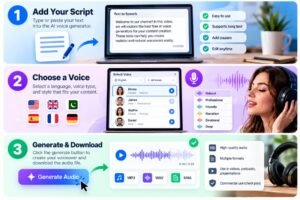
If you’re looking for the best free AI voice generator, there are several platforms worth trying in 2026. Each tool has different strengths, so the right choice depends on whether you need realistic narration, YouTube voiceovers, video editing, or simple text-to-speech.
We’ve selected these tools based on their voice quality, available features, ease of use, and usefulness for different types of content.
1. ElevenLabs
ElevenLabs is widely known for producing realistic AI-generated voices. It offers a variety of voices and supports multiple languages, making it useful for creators who want natural-sounding narration.
Best for: Realistic voices, YouTube narration, podcasts, and professional projects.
2. Murf AI
Murf AI is designed for creating professional voiceovers for videos, presentations, advertisements, and educational content. Its interface makes it relatively easy to turn a written script into polished narration.
Best for: Business videos, presentations, e-learning, and voiceovers.
3. PlayHT
PlayHT provides AI-generated voices for content creators, businesses, and developers. It offers a broad selection of voices and languages and can be useful when you need narration for different types of projects.
Best for: Voiceovers, multilingual content, and content creation.
4. Speechify
Speechify focuses on converting written content into spoken audio. It can be useful for reading documents, articles, and other text aloud, as well as for people who prefer listening instead of reading.
Best for: Reading, studying, accessibility, and productivity.
5. LOVO AI
LOVO AI combines AI voice generation with tools designed for content creation. It can be useful for marketing videos, educational projects, presentations, and other types of narrated content.
Best for: Video creators, marketers, and professional voiceovers.
6. Natural Reader
NaturalReader is a straightforward option for converting written text into speech. It is particularly useful for users who want a simple way to listen to documents and other written content.
Best for: Reading assistance, documents, and basic text-to-speech.
7. CapCut
CapCut is primarily known as a video editing platform, but it also provides AI-powered voice and text-to-speech features. This makes it convenient for creators who want to generate narration while editing their videos.
It can be a useful AI voice generator for videos, especially for short-form content and social media projects.
Best for: Video creators, TikTok, short-form content, and social media.
8. Canva
Canva is widely used for creating presentations, graphics, and social media content. Its AI-powered features can also help users create narrated content without needing a separate professional audio setup.
Best for: Presentations, marketing content, social media, and simple videos.
9. VEED
VEED is an online video editing platform with AI-powered tools for content creation. Its voice features can help creators add narration to videos without recording audio separately.
Best for: Online video editing, social media content, subtitles, and voiceovers.
10. TTSMaker
TTSMaker is a simple option for users who want to convert text into spoken audio. Its straightforward interface makes it suitable for quick projects where advanced editing features aren’t necessary.
Best Free AI Voice Generator for YouTube
If you create videos for YouTube, choosing the right AI voice is important because the narration can have a direct impact on how engaging your video feels. A voice that sounds natural and matches your content can make tutorials, storytelling videos, reviews, and educational content easier to follow.
An AI voice generator for YouTube can be especially useful for creators who run faceless channels or don’t want to record their own voice.
What Makes a Good AI Voice for YouTube?
Look for a tool that provides:
- Natural and clear pronunciation
- Different voice styles and tones
- Good audio quality
- Adjustable speaking speed
- Support for longer scripts
- Commercial-use rights when required
- Easy audio export
For example, a documentary-style video may work better with a calm and professional voice, while a short entertainment video may benefit from a more energetic voice.
Can YouTube Creators Use AI Voices?
Yes, AI-generated narration can be used in YouTube videos. However, using an AI voice does not automatically make a video valuable or original.
Your script, visuals, editing, commentary, and overall content should provide genuine value to viewers. You should also check the current terms of the AI voice platform you use, particularly if your channel is monetized.
For regular creators, the best approach is to treat AI voice as a production tool rather than relying on it to create an entire video automatically.
Best AI Voice Generator for Videos
If you create video content, an AI voice generator for videos can save a lot of time by turning your written script into ready-to-use narration.
Instead of recording your voice separately and then synchronizing the audio with your footage, you can generate the narration first and add it directly to your video project. This can be particularly useful for YouTube videos, tutorials, product demonstrations, short-form content, and educational videos.
What Should You Look For?
When choosing an AI voice tool for video content, consider:
- Natural-sounding narration
- Clear pronunciation
- Multiple voice styles
- Adjustable speaking speed
- Support for different languages
- Easy audio export
- Commercial-use options
- Integration with video editing tools
For short videos, a simple tool may be enough. For longer projects, however, you’ll want consistent voice quality and enough free usage to complete your script without constantly hitting limits.
A good workflow is to generate a short sample first, listen to it alongside your video, and make adjustments before producing the complete narration. This can help you avoid wasting credits or time on a voice that doesn’t fit your content.
Best AI Voice Generators Compared
Choosing between different AI voice tools can be difficult because each platform focuses on slightly different features. Some are better for realistic narration, while others are more convenient for video editing, presentations, or simple text-to-speech.
The table below gives you a quick overview of the tools discussed in this guide.
| AI Voice Tool | Best For | Voice Quality | Free Option | Best Use |
|---|---|---|---|---|
| Eleven Labs | Realistic narration | Excellent | Yes | YouTube & podcasts |
| Murph AI | Professional voiceovers | Excellent | Limited | Business & videos |
| Play HT | Multilingual voices | Very Good | Yes | Content creation |
| Speechify | Reading text aloud | Very Good | Yes | Reading & productivity |
| LOVO AI | Content creation | Very Good | Limited | Videos & marketing |
| Natural Reader | Simple text-to-speech | Good | Yes | Documents & reading |
| Cap Cut | Video content | Good | Yes | Short videos & social media |
| Canva | Presentations & content | Good | Yes | Design & presentations |
| VEED | Online video creation | Good | Yes | Video & social media |
| TTS Maker | Quick text-to-speech | Good | Yes | Simple projects |
Note: Free features, usage limits, voice availability, and commercial licensing can change over time. Always check the provider’s current terms before using a tool for commercial content.
Best AI Voiceover Tools for Content Creators
For creators who regularly produce videos, podcasts, tutorials, or social media content, an AI voiceover generator can make the production process much faster. Instead of recording each script manually, you can generate narration and add it directly to your project.
The right tool depends on the type of content you create and how much control you want over the final voice.
Eleven Labs for Natural Narration
Eleven Labs is a strong option when realistic and expressive narration is your main priority. It can be useful for storytelling, educational videos, documentaries, and other content where the voice needs to sound natural.
Murph AI for Professional Projects
Murph AI is designed around professional voiceover creation and can work well for presentations, training videos, advertisements, and business content.
Play HT for Different Languages
Play HT can be useful for creators who need voices in multiple languages or want to reach audiences in different regions.
Cap Cut for Video Creators
If your main focus is short-form video, Cap Cut can be convenient because voice generation and video editing can be handled within the same workflow.
What Should Content Creators Choose?
When comparing the best AI voiceover tools, don’t focus only on the number of voices available. Consider how natural the voices sound, how much free usage you receive, whether commercial use is allowed, and how easily the generated audio fits into your editing workflow.
For most creators, testing the same short script in two or three platforms is a better way to compare them than relying only on feature lists.
Realistic AI Voice Generator: What Makes a Voice Sound Natural?
A realistic AI voice generator should do more than simply read words aloud. The best results sound natural because they include appropriate pauses, clear pronunciation, natural pacing, and changes in emphasis.
When comparing different AI voice platforms, listen carefully to how each voice handles complete sentences rather than judging it from a single short phrase.
Natural Pronunciation
Pronunciation is one of the first things listeners notice. A good AI voice should handle common words, numbers, names, and technical terms clearly.
Natural Pauses
Pauses between sentences and phrases can make narration sound more conversational. Proper punctuation in your script can also help the AI understand where natural pauses should occur.
Voice Expression
Some advanced tools provide expressive voices that can change their tone and emphasis. This can be useful for storytelling, educational content, and videos where a completely flat voice would feel boring.
Consistent Voice Quality
Consistency is particularly important for longer videos. The voice should maintain a similar tone, pronunciation, and speaking style from the beginning of the script to the end.
Clear Audio
Even a realistic voice can sound poor if the generated audio is unclear or heavily processed. Always listen to a sample before using a voice for a complete project.
For the best results, test several voices using the same script. This makes it easier to compare pronunciation, pacing, expression, and overall naturalness.
Best AI Text-to-Speech Tools
AI text-to-speech technology is useful when you want to turn written content into clear spoken audio without recording your own voice. The best AI text to speech tools can be used for everything from YouTube narration and online courses to accessibility and personal productivity.
The right choice depends on how you plan to use the generated audio.
For Natural-Sounding Narration
If your priority is realistic narration, look for a platform that offers natural pronunciation, smooth pauses, and expressive voices. This is particularly important for longer videos and storytelling content.
For Reading Articles and Documents
If you mainly want to listen to articles, documents, or study material, a simpler text-to-speech platform may be enough. In this case, ease of use and reading quality are usually more important than advanced voice controls.
For Video Content
Content creators should consider tools that make it easy to export generated audio and use it with video editing software. Features such as adjustable speed, multiple voices, and pronunciation controls can also be helpful.
What Should You Compare?
Before choosing a text-to-speech platform, compare:
- Voice quality
- Supported languages
- Free character limits
- Voice selection
- Audio export options
- Commercial-use rights
- Ease of use
- Available customization
A free plan is a good way to test a service before paying for additional features. Always check the current plan details because free limits and available features can change over time.
Free AI Voiceover Generator: Is It Enough for Content Creation?
A free AI voiceover generator can be a great starting point if you’re creating content on a limited budget. Many platforms allow you to test different voices and generate a certain amount of audio without paying for a subscription.
However, free plans often come with restrictions. The available characters, voices, downloads, or monthly usage may be limited.
What Can You Create With a Free Plan?
A free AI voiceover tool can be useful for:
- YouTube videos
- Short-form social media videos
- Educational content
- Tutorials
- Presentations
- Personal projects
- Voiceover testing
What Are the Limitations?
Before relying on a free plan, check whether it has limits on:
- Monthly characters
- Audio generation
- Voice selection
- Download options
- Audio quality
- Commercial usage
- Voice cloning
For beginners, a free plan is usually enough to test the quality of a platform. If you start producing content regularly, you may eventually need a paid plan for higher limits and additional features.
The most important thing is to check the provider’s current pricing and licensing terms before using free AI-generated voices in monetized or commercial projects.
How to Choose the Right AI Voice Generator
With so many AI voice platforms available, choosing one can feel confusing. The best option depends on your content, budget, and the type of voice you need.
Before signing up for a paid plan, compare the following factors.
Voice Quality
Listen to a sample using your own script. A voice that sounds natural in a short demonstration may sound different when used for a longer narration.
Free Usage
Check how many characters or minutes of audio are included in the free plan. This is especially important if you publish content regularly.
Languages and Voices
If you create content for different audiences, choose a platform with the languages, accents, and voice styles you actually need.
Commercial Rights
If you plan to monetize YouTube videos, sell courses, or create content for clients, check whether your selected plan permits commercial use.
Editing and Customization
Features such as pronunciation controls, pauses, speed adjustment, and voice style can make a significant difference to the final result.
Ease of Use
A powerful tool isn’t necessarily the best choice if its interface is difficult to understand. Choose a platform that fits naturally into your existing content creation workflow.
In the end, testing a few platforms with the same script is one of the easiest ways to find the voice that works best for your content.
Pros and Cons of AI Voice Generators
AI voice generators can make content creation faster and easier, but they are not perfect for every situation. Understanding their advantages and limitations can help you decide whether they are right for your workflow.
Pros of AI Voice Generators
- Save time: Generate narration without setting up a recording session.
- Easy to use: Most platforms only require a written script and a selected voice.
- Multiple voice options: Choose from different voices, languages, and speaking styles.
- Useful for faceless content: Create narration without appearing or speaking on camera.
- Easy to edit: You can change your script and generate a new version without recording everything again.
- Scalable: Useful when you need narration for multiple videos or projects.
Cons of AI Voice Generators
- Free plans can be limited: Character and audio-generation limits are common.
- Quality varies: Not every AI voice sounds equally natural.
- Pronunciation issues: Unusual names, technical terms, and certain words may require adjustments.
- Commercial restrictions: Some free plans may not allow commercial use.
- Less personal than a real voice: AI narration may not have the same personal connection as an authentic human voice.
Overall, AI voice generators are useful production tools, but the quality of your script, editing, and overall content still matters. The best results usually come from using AI narration as part of a complete content workflow rather than relying on the generated voice alone.
Frequently Asked Questions About AI Voice Generators
What is the best free AI voice generator in 2026?
The best option depends on what you need. Some platforms focus on realistic narration, while others are better for video editing, text-to-speech, or professional voiceovers. It’s a good idea to test several tools before choosing one.
Can I use AI-generated voices for YouTube videos?
Yes. AI-generated voices can be used for YouTube narration, tutorials, storytelling, and other types of content. However, you should check the AI platform’s licensing terms and make sure your overall content provides original value.
Are AI voice generators completely free?
Not always. Many platforms offer free plans with limits on characters, audio generation, voices, or downloads. Paid plans generally provide higher limits and additional features.
Can AI voices sound like real people?
Modern AI voices can sound very realistic. Some platforms also provide voice-cloning features, but you should only clone someone’s voice when you have the appropriate permission.
Can I use AI voices for commercial content?
It depends on the platform and your specific plan. Before using an AI voice for monetized videos, advertisements, client projects, or other commercial work, check the provider’s current licensing terms.
Which AI voice generator is best for videos?
The right choice depends on your workflow. Tools with video editing integration can be convenient for creators who want to generate narration and edit their videos in the same place.
Conclusion
AI voice generators have made it easier than ever to create professional-sounding narration without recording every line yourself. From YouTube videos and social media content to presentations, tutorials, and podcasts, these tools can save time and simplify the content creation process.
The best free AI voice generator depends on your specific needs. Some platforms focus on realistic voices, while others are better suited for video editing, text-to-speech, or professional voiceovers.
Before choosing a tool, compare its voice quality, free limits, available languages, customization options, and commercial-use terms. Testing the same short script across several platforms is also a simple way to find the voice that feels right for your content.
As AI voice technology continues to improve, these tools are becoming a practical part of modern content creation. The key is to use them thoughtfully and combine AI-generated narration with original scripts, useful information, and quality editing.
For more: click here
One comment