Best AI Image Generators in 2026: Top 10 Tools Compared
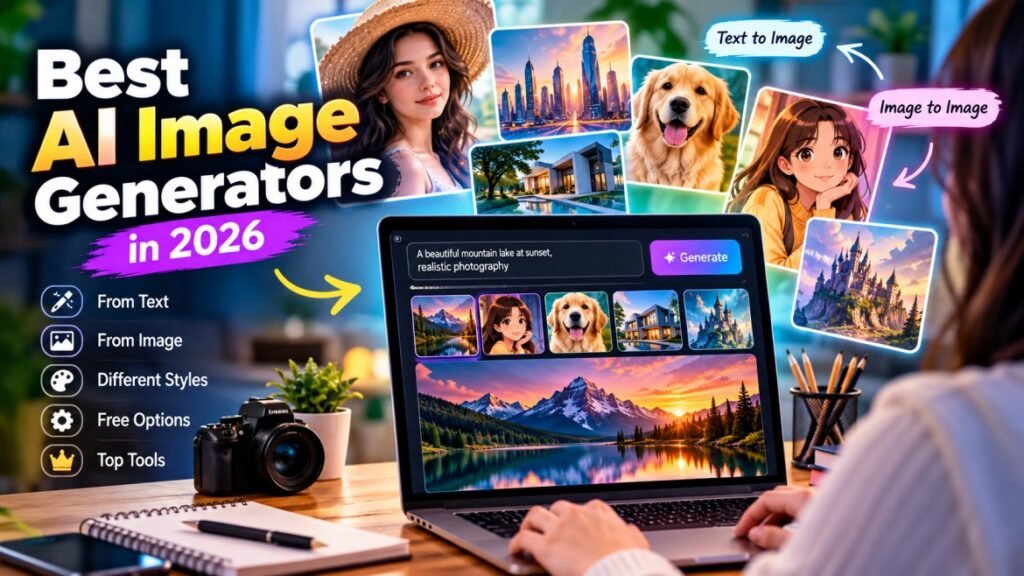
Creating high-quality images no longer requires advanced design skills or expensive software. With an Best AI Image Generators, you can turn a simple idea or text prompt into an image within seconds.
AI image tools are now being used for blog graphics, social media content, marketing campaigns, product visuals, presentations, digital artwork, and creative projects. Some platforms focus on realistic photos, while others are better for illustrations, artwork, characters, or professional design.
The challenge is choosing the right tool. With so many options available, it can be difficult to know which platforms offer the best image quality, useful free features, easy controls, and good value.
In this guide, we compare the top 10 AI image generators in 2026, including their main features, strengths, limitations, and best use cases. Whether you’re looking for an AI photo generator, a free AI image generator, or a powerful tool for professional creative work, this comparison will help you find the right option.
What Is an Best AI Image Generator?
An AI image generator is a tool that uses artificial intelligence to create images based on instructions, usually called prompts. Instead of designing an image manually, you describe what you want, and the AI generates a visual that matches your request.
For example, you can ask an AI tool to create a realistic landscape, product image, character, illustration, advertisement, or social media graphic. Some platforms can also work with an existing image and modify or transform it according to your instructions.
Modern AI image generators can produce different styles, including realistic photography, digital art, illustrations, cartoons, 3D visuals, and professional-looking graphics. The final result depends on the AI model, the prompt, and the controls available in the particular platform.
What Can You Create With Best AI Image Generators?
Common uses include:
- Website and blog images
- Social media graphics
- YouTube thumbnails
- Product visuals
- Marketing content
- Digital artwork
- Presentations
- Concept designs
- Character illustrations
- Creative experiments
The biggest advantage is accessibility. Even if you have little or no graphic design experience, you can experiment with image creation simply by describing the result you want.
How Do AI Image Generators Work?
AI image generators use machine-learning models trained to understand relationships between text, images, styles, objects, and visual patterns. When you enter a prompt, the system interprets your description and generates an image based on what it has learned.
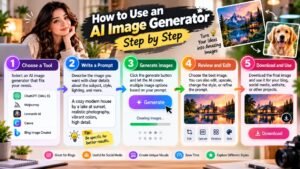
The process is usually simple:
1. Enter a Prompt
You describe the image you want to create. The more specific your instructions are about the subject, style, setting, lighting, and composition, the easier it is to guide the result.
2. Choose a Style or Settings
Depending on the platform, you may be able to select an image style, aspect ratio, quality, or other generation settings.
3. Generate the Image
The AI processes your instructions and creates one or more images. Some tools can produce several variations from the same prompt.
4. Refine the Result
If the first result is not exactly what you want, you can modify the prompt or use editing features to make changes.
5. Download or Use the Image
Once you are happy with the result, you can usually download the image or use it directly in your project, depending on the platform’s features and licensing terms.
This workflow makes AI image creation relatively quick, but the quality can vary between tools. That’s why comparing different platforms is useful when choosing the right AI image generator for your needs.
What to Look for in the Best AI Image Generator
With so many AI image tools available, choosing one can be difficult. The best option depends on the type of images you want to create and how much control you need over the final result.
Image Quality and Realism
If you need realistic people, products, or environments, look for a tool that produces detailed images with natural lighting, textures, and accurate proportions.
Prompt Understanding
A good AI image generator should understand detailed prompts and follow instructions about objects, composition, colors, styles, and backgrounds.
Editing and Customization
Some platforms offer more than simple text-to-image generation. Features such as image editing, background replacement, inpainting, image-to-image generation, and reference images can give you greater creative control.
Free Features
If you are testing different platforms, check what is actually included in the free plan. Some tools may provide a limited number of generations, while others restrict image resolution, downloads, or advanced features.
Commercial Usage
If you plan to use generated images for a business, website, advertisements, or other commercial projects, always check the platform’s current licensing and usage terms before publishing the images.
Ease of Use
A powerful tool is not always the best choice if it is difficult to use. Beginners may prefer a simple interface, while experienced creators may want advanced controls and customization options.
By comparing these factors, you can find an AI image generator that matches your creative needs instead of choosing a tool based only on popularity.
Top 10 AI Image Generators in 2026
The AI image generation space has grown quickly, and different tools are designed for different types of users. Some focus on highly realistic images, while others are better for design, marketing, illustrations, or quick social media content.
For this comparison, we’re looking at 10 popular AI image generator platforms based on their features, ease of use, image quality, creative controls, and overall usefulness.
1. Chat GPT Image Generation
Chat GPT can generate and edit images from natural-language instructions, making it useful for users who want to create visuals without learning complicated design software.
Best for: General image creation, editing, ideas, and creative projects.
2. Mid-journey
Mid-journey is well known for creating detailed and artistic images. It is particularly popular among creators who want distinctive visual styles and highly polished artwork.
Best for: Creative artwork, concept images, and stylized visuals.
3. Adobe Firefly
Adobe Firefly focuses on generative creative tools and integrates with Adobe’s broader creative ecosystem. It can be useful for designers and creators who already work with Adobe products.
Best for: Professional design workflows and creative editing.
4. Google Image Generation
Google offers AI-powered image creation through its AI products, allowing users to generate visuals from natural-language prompts.
Best for: Users who want AI image generation within Google’s ecosystem.
5. Ideogram
Ideogram is particularly known for generating images that include text and typography. This can make it useful for posters, logos, social graphics, and other designs where readable text matters.
Best for: Images containing text, posters, and graphic designs.
6. Leonardo AI
Leonardo AI provides creative image-generation and customization features for artists, designers, and content creators. It offers more control than many basic image-generation tools.
Best for: Creative projects, game assets, artwork, and detailed visual generation.
7. Canva AI
Canva combines AI image generation with its existing graphic-design tools. This makes it convenient for users who want to generate an image and then place it directly into a presentation, social media design, or marketing graphic.
Best for: Social media, presentations, marketing, and beginner-friendly design.
8. Microsoft Designer
Microsoft Designer combines AI-powered design features with a simple interface, making it useful for creating social graphics, invitations, posters, and other visual content.
Best for: Quick designs and everyday creative projects.
9. Stable Diffusion
Stable Diffusion is widely associated with customizable AI image generation and offers flexibility for users who want more control over how images are created.
Best for: Advanced users, customization, and experimentation.
10. Playground AI
Playground AI provides accessible image-generation and creative tools for users who want to experiment with different visual styles and idea.
Best Free AI Image Generators
If you are just getting started, you may not want to pay for an AI image tool immediately. Fortunately, several platforms offer free access or limited free generations that let you test their capabilities before choosing a paid plan.
Free AI Image Generator Options
A free AI image generator can be useful for experimenting with different styles, creating simple graphics, generating ideas, and producing visuals for personal projects.
However, “free” does not always mean unlimited. Some platforms may limit the number of generations, image resolution, editing features, or available models.
What to Check in a Free Plan
Before choosing a free tool, look at:
- Number of free generations
- Image resolution
- Available image styles
- Daily or monthly limits
- Editing features
- Watermarks
- Download options
- Commercial-use restrictions
For example, someone creating occasional blog graphics may find a limited free plan sufficient, while a content creator producing images every day may need a paid plan.
A good approach is to test the same prompt on several platforms and compare the results. This gives you a better idea of which AI image generator free option actually fits your workflow rather than choosing based only on its feature list.
AI Image Generator From Text
One of the most popular ways to create images with AI is to start with a written description. An AI image generator from text turns your words into a visual based on the details you provide.
For example, you could write:
“A modern city skyline at sunset, realistic photography, warm lighting, detailed architecture.”
The AI interprets the subject, setting, style, and other details to create an image that matches the prompt.
How to Write Better Image Prompts
A clear prompt can make a noticeable difference in the final result. Try to describe:
- Subject: What should appear in the image?
- Environment: Where is the subject located?
- Style: Realistic, illustration, 3D, cinematic, watercolor, etc.
- Lighting: Daylight, studio lighting, sunset, dramatic lighting, etc.
- Composition: Close-up, wide shot, portrait, landscape, or overhead view.
- Details: Colors, clothing, objects, textures, and other important elements.
Free Text-to-Image Tools
If you are looking for an AI image generator from text free, compare the number of free generations, image quality, available styles, and download restrictions before choosing a platform.
You can also try the same prompt across several tools. This is one of the easiest ways to see which generator understands your instructions and produces the visual style you prefer.
AI Image Generator From an Existing Image
Text prompts are not the only way to create AI visuals. Many modern tools can also work with an existing image and transform it according to your instructions. An AI image generator from image can be useful when you already have a photo, sketch, or design and want to create a new version of it.
For example, you could upload a product photo and ask the tool to place it in a different environment, change the background, adjust the style, or create a variation while keeping important parts of the original image.
Common Image-to-Image Uses
You can use image-based AI tools for tasks such as:
- Changing or removing backgrounds
- Creating different visual styles
- Improving or enhancing an image
- Creating variations of an existing design
- Turning sketches into finished artwork
- Changing environments or backgrounds
- Creating product-image variations
- Making creative edits to photos
Why Image-to-Image Generation Is Useful
The main advantage is control. Instead of explaining every visual detail from scratch, you can provide an existing image as a reference and then describe the changes you want.
Results can vary depending on the tool and the quality of the original image, so it is worth testing different platforms when consistency or precise editing is important.
AI Image Generator for Different Creative Needs
Not every AI image generator is designed for the same type of project. The best choice depends on what you want to create, how much control you need, and whether you are making images for personal or commercial use.
For Realistic Photos
If your goal is realistic people, products, locations, or lifestyle scenes, look for a tool that produces natural lighting, detailed textures, and convincing proportions.
For Digital Art and Illustrations
Artists and creative users may prefer platforms with a wide range of styles and customization options. These tools can be useful for concept art, illustrations, characters, and creative experiments.
For Social Media Content
If you regularly create posts, banners, thumbnails, or promotional graphics, a simple interface and quick generation can be more important than advanced controls.
For Product Images
Businesses and online sellers can use AI tools to create product concepts, backgrounds, lifestyle scenes, or variations of existing product photos. Always make sure the generated image accurately represents the real product when it is being used for advertising.
For Marketing and Business
Marketing teams can use AI-generated visuals for campaigns, presentations, advertisements, blog content, and social media. Commercial licensing should be checked before publishing images for business purposes.
Choosing a tool based on your specific use case is often more useful than simply choosing the platform with the largest feature list.
How to Choose the Best AI Image Generator
With so many options available, the right AI image generator depends on your goals rather than simply choosing the most popular platform.
Consider Image Quality
Start by checking whether the tool produces the type of images you need. If realistic photos are important, compare details such as faces, hands, lighting, textures, and backgrounds.
Check Creative Control
Some platforms give you more control over prompts, styles, aspect ratios, reference images, and editing. Advanced controls can be especially useful for designers and professional creators.
Look at Free Usage
If you want to experiment before paying, compare the free generation limits, available models, image resolution, and download options. A tool with a generous free plan may be enough for occasional users.
Check Commercial Rights
If you’re creating images for a website, business, advertisements, products, or other commercial projects, review the platform’s current licensing terms. Free access does not automatically mean every generated image can be used commercially.
Compare the Overall Workflow
A good tool should fit naturally into the way you work. If you frequently edit existing images, prioritize image-to-image and editing features. If you mainly create visuals from prompts, focus on prompt quality and generation speed.
The best approach is to test a few leading platforms with the same prompt and compare their results. This gives you a much better idea of which tool works best for your specific needs.
AI Image Generator vs. Traditional Image Creation
Traditional image creation often requires design software, photography equipment, illustration skills, or a combination of these. AI tools offer another approach by allowing users to create or modify visuals with text instructions and reference images.
AI Image Generation
An AI image generator can produce an initial visual quickly from a prompt. This makes it useful when you need to explore several ideas before deciding on a final design.
Traditional Design
Traditional tools give you precise control over individual elements. Professional designers can manually adjust layouts, colors, typography, objects, and other details to achieve a specific result.
Which Approach Is Better?
Neither approach is ideal for every situation. AI can be useful for brainstorming, concept creation, and quick visual content, while traditional design may be better when exact control and consistency are essential.
Many creators combine both approaches. They use AI to generate an initial concept and then refine the result using conventional editing or design software.
For most users, the best option depends on the project, required level of control, available time, and intended use of the final image.
Pros and Cons of AI Image Generators
AI image tools can make visual content much faster, but they are not perfect for every situation. Understanding their advantages and limitations can help you decide when they are worth using.
Pros
- Fast image creation: Generate visuals in seconds or minutes.
- Easy for beginners: You can create images without advanced design skills.
- Multiple styles: Experiment with realistic photos, artwork, illustrations, and other styles.
- Easy experimentation: Create several versions of the same idea and compare them.
- Useful for content creation: Generate visuals for blogs, social media, presentations, and marketing projects.
- Image editing: Some platforms can modify existing images instead of creating everything from scratch.
Cons
- Results can vary: The same prompt may produce different results each time.
- Detail problems: Faces, hands, text, and small objects may sometimes look incorrect.
- Free limits: Many platforms restrict free generations or advanced features.
- Licensing differences: Usage rights can vary between platforms and plans.
- Less precise control: AI may not always follow every part of a detailed prompt exactly.
- Consistency can be difficult: Keeping the same character or visual style across multiple images may require additional tools or careful workflows.
Overall, AI image generators are powerful creative assistants, but reviewing and refining the generated images is still important—especially when the visuals are being used professionally.
Frequently Asked Questions About AI Image Generators
What is the best AI image generator in 2026?
There is no single tool that is best for everyone. The right choice depends on whether you need realistic photos, artwork, social media graphics, product images, or advanced creative control.
Are AI image generators free?
Many platforms offer free access or limited free generations, but the available features, credits, resolution, and usage limits vary. Always check the current plan before choosing a tool.
Can I create realistic photos with AI?
Yes. Modern AI tools can create highly realistic people, products, environments, and scenes. However, results can vary, so reviewing the generated image is important.
Can an AI image generator create images from text?
Yes. Text-to-image generation is one of the most common features. You describe the image in a prompt, and the AI creates a visual based on your instructions.
Can I edit an existing image with AI?
Yes. Many platforms support image-to-image generation or AI editing. You can upload an existing image and request changes such as a new background, different style, or other visual modifications.
Can I use AI-generated images commercially?
It depends on the platform, model, and plan you use. Check the current licensing and commercial-use terms before using an AI-generated image for advertising, products, websites, or other commercial work.
Which AI image generator is best for beginners?
Beginners may prefer a tool with a simple interface, clear prompts, easy editing, and a useful free option. Testing a few platforms with the same prompt is a practical way to find the one that feels easiest to use.
Conclusion
AI image generation has made it much easier to create visual content without spending hours on traditional design work. From realistic photos and digital artwork to social media graphics and product concepts, the right tool can help turn an idea into a usable image quickly.
The best AI image generator depends on what you need. Some platforms are better for realistic images, while others focus on creative artwork, design, editing, or beginner-friendly workflows.
When comparing the top tools, consider image quality, prompt accuracy, editing features, free usage, ease of use, generation limits, and commercial licensing. It is also worth testing the same prompt across several platforms before deciding which one fits your workflow.
As AI image technology continues to improve, these tools are becoming useful creative assistants for bloggers, marketers, designers, businesses, and everyday users. The best results usually come from combining AI generation with human creativity, editing, and careful review.