Insomnia vs Postman: Features, and Which API Client to Choose
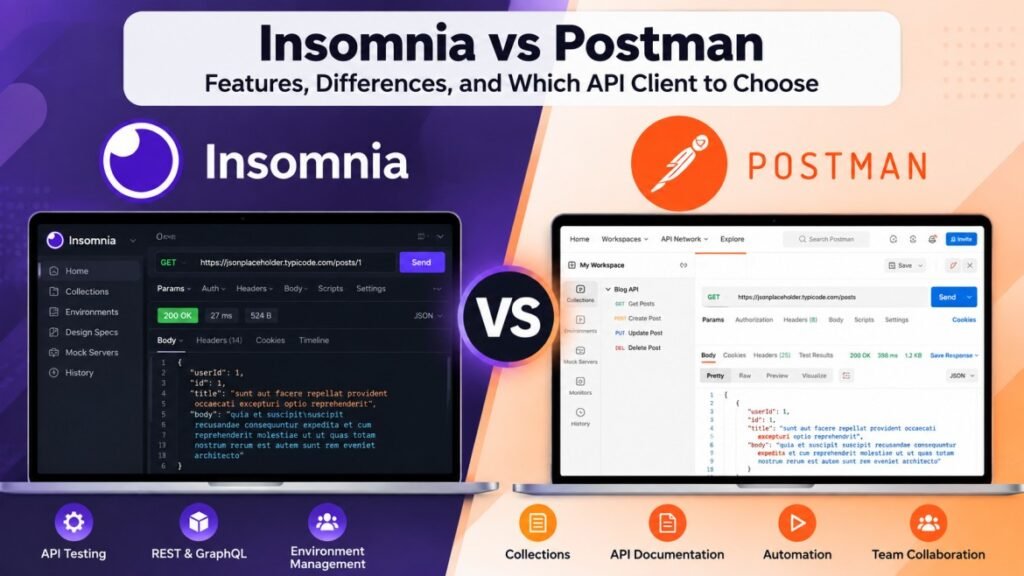
Choosing the right API client can make everyday development tasks easier, from testing a login endpoint to debugging unexpected server responses. Two tools developers often compare are Insomnia and Postman. Both help you send API requests, inspect responses, and organize testing workflows, but their features and project management approaches differ. In this guide, we compare Insomnia vs Postman across usability, API testing, supported protocols, environment variables, collaboration, automation, and pricing. You will also learn what to consider before choosing an API client for your own development workflow.
What Is an API Client?
An API client is a tool that allows developers to send requests to an application programming interface (API) and inspect the responses. Instead of writing a separate program for every test, developers can configure requests, add headers or parameters, send data, and review the results through a single interface.
For example, an online store might use an API to retrieve product information, authenticate customers, or create orders. An API client lets developers test these endpoints before connecting them to the website or mobile app. It can also help identify unexpected status codes, authentication errors, and problems with returned data.
Developers commonly use API clients to test REST APIs, work with supported Graph QL requests, manage authentication, organize reusable requests, and debug server responses. The available capabilities depend on the specific tool.
What Is Insomnia?
Insomnia is an API client that helps developers create, send, and test API requests. It provides a visual interface for working with endpoints, reviewing server responses, and managing request details without having to write a separate testing program for every request.
Developers can use Insomnia to work with REST APIs and Graph QL, configure authentication, manage environment variables, and organize requests for different development tasks. These features can help simplify API debugging and make repeated testing easier.
Insomnia may suit developers who prefer a focused interface for API development and testing. However, the right choice depends on the features you need, your team’s workflow, and whether collaboration or automation tools are important for your projects.
What Is Postman?
Postman is an API development platform that helps developers design, send, test, and document API requests. It provides tools for inspecting responses, managing request collections, and organizing API work across development projects.
Developers can use Postman to test REST APIs, work with Graph QL, configure authentication, create reusable requests, and manage environment variables. It also offers collaboration features and tools for automating API tests, depending on the plan and setup.
Postman can be useful for individual developers as well as teams that need to share API requests, document endpoints, and organize testing workflows. Before choosing it, consider which features you need, how you work with your team, and whether the available plan fits your budget.
Insomnia vs Postman: Key Differences
When comparing Insomnia vs Postman, look beyond the basic ability to send API requests. Both tools support API testing, but their interfaces, collaboration options, automation features, and project workflows may suit different development needs. The right choice depends on how you build, test, and maintain APIs.
Insomnia emphasizes a focused API development experience, while Postman provides a broader collection of tools for API collaboration, documentation, and testing workflows. Features and availability can change between plans, so check each product’s current documentation before making a decision.
|
Feature |
Insomnia |
Postman |
|---|---|---|
|
API requests |
Supported |
Supported |
|
REST API testing |
Supported |
Supported |
|
Graph QL workflows |
Supported |
Supported |
|
Team collaboration |
Available features vary by plan |
Available features vary by plan |
|
Automation |
Available tools vary by workflow |
Available tools vary by workflow |
Features of Insomnia
Insomnia includes several features designed to help developers work with APIs, organize requests, and investigate response errors. Understanding these features can help you decide whether Insomnia fits your development workflow.
API Request Testing
Insomnia allows developers to send API requests and inspect server responses. You can configure request methods, headers, parameters, and request bodies to test endpoints and investigate errors during development.
Environment Variable
Environment variables help developers reuse values such as API base URLs, configuration settings, and test credentials across requests. This can make it easier to switch between development, testing, and production environments while keeping configurations organized.
Authentication and API Workflow
Insomnia supports authentication configurations and workflows for working with different APIs. Developers can configure the authentication method required by an endpoint and organize related requests, helping them test protected resources more efficiently.
Features of Postman
Postman offers a range of tools for API development, testing, documentation, and collaboration. Its features help developers organize requests, validate responses, and manage testing activities throughout the API development process.
Collections and Request Organization
Postman collections allow developers to group related API requests into organized sets. This is useful when testing multiple endpoints for a project, reusing requests, and sharing API workflows with other team members.
Automated API Testing
Postman provides testing features that developers can use to check API responses and validate expected results. Depending on the setup and available features, tests can also be incorporated into automated workflows to help identify problems when an API changes.
Collaboration and Documentation
Postman includes tools for sharing API requests, documenting endpoints, and collaborating on API projects. These capabilities can help teams keep testing resources organized and make API information easier for developers to access. Some collaboration features may depend on the selected plan.
Insomnia vs Postman: Ease of Use
Ease of use is an important factor when comparing Insomnia vs Postman. Both tools provide graphical interfaces for creating API requests, configuring authentication, and inspecting responses. However, their layouts and project workflows differ, so the experience may depend on your familiarity with API development and the features you use most often.
Insomnia User Experience
Insomnia offers an interface focused on API requests and development workflows. Developers who mainly need to create requests, manage environments, and inspect responses may appreciate its straightforward approach. The actual experience depends on the project and the user’s preferences.
Postman User Experience
Postman brings request management together with features for testing, documentation, and collaboration. Its broader range of tools can be useful for developers working across several API tasks, although new users may need time to explore the available options.
Insomnia vs Postman: API Testing and Automation
API testing helps developers verify that an endpoint behaves as expected. When comparing Insomnia vs Postman, consider how each tool handles request configuration, response validation, reusable tests, and automated workflows. The right setup can reduce repetitive manual checks and help developers detect issues earlier.
API Testing in Insomnia
Insomnia helps developers send requests, inspect response codes, and examine returned data. Developers can configure request details and use the testing capabilities available in their setup to check whether API endpoints behave as expected. For more advanced workflows, review the current features and integrations offered by Insomnia.
API Testing in Postman
Postman supports API response checks and reusable test scripts. Developers can organize requests into collections and incorporate tests into automated workflows using supported tools and integrations. This can help teams repeat tests after code or API changes, with available automation options depending on their configuration and plan.
REST API and GraphQL Support
REST and GraphQL are common approaches to building APIs. When comparing Insomnia vs Postman, developers should check how each tool supports their API type, authentication requirements, request formats, and testing workflow. Both tools support working with REST APIs and GraphQL, although the exact features available may differ.
REST API Support
REST APIs commonly use HTTP methods such as GET, POST, PUT, PATCH, and DELETE. Insomnia and Postman allow developers to configure requests, add headers and parameters, submit request bodies, and inspect responses. These capabilities are useful for testing endpoints before integrating them into a website, mobile application, or backend service.
Graph QL Support
GraphQL allows clients to request specific data through queries and perform changes through mutations. Both Insomnia and Postman support GraphQL workflows, helping developers send queries, configure request details, and inspect returned data. Before selecting a tool, consider the authentication, schema exploration, and testing features required by your project.
Insomnia vs Postman: Pricing and Free Plans
Pricing is an important consideration when comparing Insomnia vs Postman. Both tools offer options for developers, but the features, usage limits, and collaboration capabilities available to you may depend on the selected plan. Before paying for an API client, identify the features you actually need and compare the current plans on each tool’s official website.
Insomnia Pricing
Insomnia’s available plans and features should be checked on its official pricing page before making a purchase. Consider whether the plan supports your required API testing workflows, environment management, and team collaboration needs.
Postman Pricing
Postman offers a Free plan for individual API development and testing. Its published paid plans include Solo, Team, and Enterprise, with prices and features varying by plan. For example, the official pricing page lists Solo at $9 per month and Team at $19 per user per month when billed annually. Check the current terms before purchasing.
Insomnia vs Postman: Security and Collaboration
Security and collaboration matter when API requests contain authentication tokens, private endpoints, or sensitive test data. When comparing Insomnia vs Postman, developers should review how each tool manages secrets, shares projects, controls access, and supports their organization’s security requirements. Available features can depend on the product version, configuration, and subscription plan.
Security and Data Management in Insomnia
When using Insomnia, developers should review workspace settings, authentication configuration, and how sensitive values are stored or shared. Avoid placing real passwords, private API keys, or production tokens in requests that may be exported or shared. Use the security controls available in your setup and follow your organization’s data-handling rules.
Security and Team Collaboration in Postman
Postman provides collaboration features for sharing API requests, collections, and documentation with teammates. Teams should review workspace permissions, account access, and secret-management options before sharing projects. Keep sensitive credentials out of shared examples and use appropriate access controls for private APIs.
Pros and Cons of Insomnia vs Postman
Both Insomnia and Postman offer useful features for API development, but each has trade-offs. Comparing their practical advantages and limitations can help developers choose a tool that matches their projects, budget, and preferred workflow.
Insomnia: Pros and Cons
Advantages:
-
Provides tools for creating and testing API requests.
-
Supports REST and GraphQL workflows.
-
Offers environment configuration for different development setups.
-
Can fit developers who prefer a focused API client.
Limitations to Consider
-
Some capabilities may require a particular plan or setup.
-
Teams should verify whether its collaboration features meet their needs.
-
Developers moving from another API client may need to reorganize existing requests and workflows.
Postman: Pros and Cons
Advantages:
-
Supports API requests, response testing, and reusable collections.
-
Provides tools for API documentation and team collaboration.
-
Offers testing and automation options for supported workflows.
-
Includes a Free plan for getting started.
Limitations to Consider
-
Its wider range of features may take time for new users to learn.
-
Some team and advanced capabilities may require a paid plan.
-
Developers should review account, workspace, and data-sharing settings before collaborating.
Which API Client Should You Choose?
Choosing between Insomnia and Postman depends on your development requirements, preferred interface, collaboration needs, and budget. Both tools can help you send API requests, inspect responses, and test endpoints. Instead of choosing based on popularity alone, consider which features you use regularly and try the available versions with a representative project.
Choose Insomnia If…
Consider Insomnia if you want an API client for creating requests, testing REST or GraphQL endpoints, and managing environment configurations. Review its current features to confirm that they cover your authentication, testing, and collaboration requirements.
Choose Postman If…
Consider Postman if your workflow involves organizing requests into collections, writing reusable tests, documenting APIs, or sharing API resources with teammates. Check the available plans to determine whether the collaboration and automation features you need are included.
What Should Beginners Consider?
Beginners should start by identifying the API they want to test and the tasks they need to perform. Try sending a GET request, submitting a POST request, configuring authentication, and inspecting the response in both tools. This practical comparison can help you understand the interface and workflow before committing to a particular product.
Frequently Asked Questions (FAQs)
Is Insomnia better than Postman?
Neither tool is the right choice for every developer. Insomnia may suit developers who prefer its API development workflow, while Postman offers tools for request collections, testing, documentation, and collaboration. Your requirements should guide your decision.
Is Insomnia free to use?
Insomnia offers free and paid options, with features depending on the plan. Visit its official website to check current pricing and feature limits before choosing a plan.
Is Postman free for API testing?
Yes, Postman has a Free plan that supports API development and testing. Some advanced capabilities and collaboration features may require a paid subscription.
Can I test REST APIs with Insomnia and Postman?
Yes. Both tools allow developers to send REST API requests, configure headers and parameters, provide request bodies, and inspect server responses.
Do Insomnia and Postman support GraphQL?
Yes. Both support GraphQL workflows, allowing developers to send queries and inspect responses. Check each tool’s current documentation for the specific features you need.
Which API client is suitable for beginners?
Both tools can be used by beginners. Try creating a simple GET request in each application and compare the interface, available features, and learning resources before deciding.
Can I use Insomnia or Postman for automated API testing?
Both tools provide testing-related capabilities, but their automation methods and integrations differ. Review their current documentation to find an approach that fits your testing requirements and development pipeline.
Conclusion: Insomnia vs Postman
Choosing between Insomnia vs Postman comes down to your API development workflow, testing requirements, collaboration needs, and budget. Both tools support essential API development tasks, including sending requests, inspecting responses, and working with REST and GraphQL APIs.
Before making your choice, try the features you expect to use regularly, review the available plans, and check the security settings. Comparing both tools with a real project will help you understand which interface and workflow best match your needs.
For more:: click here