7 AI Code Review Tools for GitHub Developers in 2026
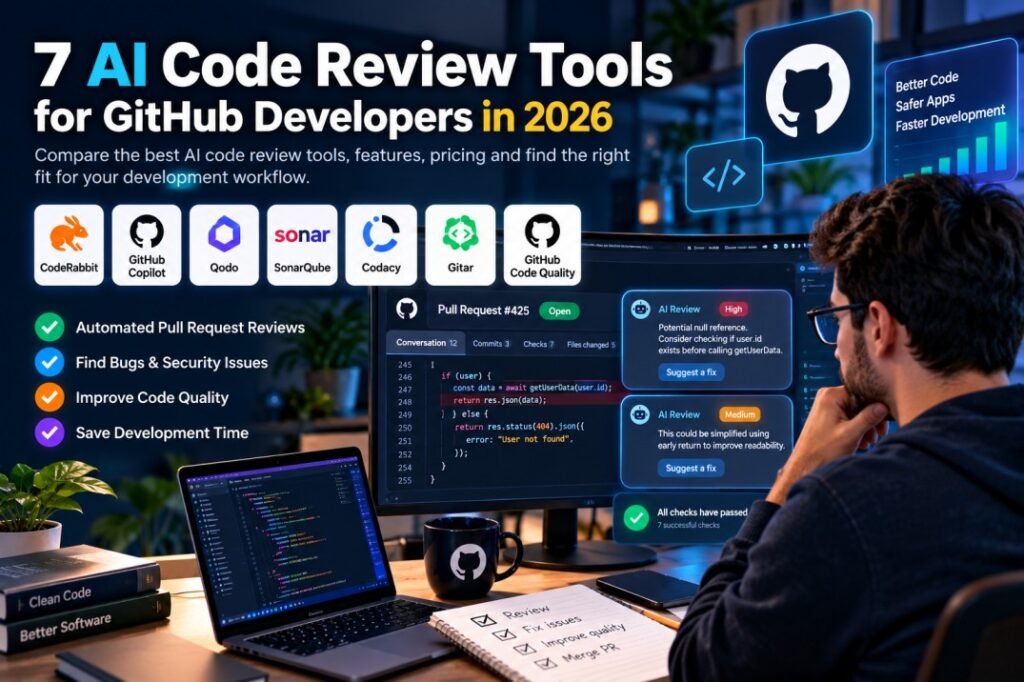
Imagine spending three hours building a feature, opening a pull request, and then discovering that one small change has broken something in another part of your application. Now imagine having an assistant that reviews your changes, explains potential problems, and suggests improvements before your code reaches production.
That is the idea behind AI code review tools. They help developers examine code changes, identify possible bugs, improve readability, and catch certain security or maintainability issues. Depending on the product, reviews may happen directly inside GitHub pull requests, a code editor, or an automated development pipeline.
But choosing an AI reviewer is not as simple as picking the tool with the longest feature list. Some products focus on pull request feedback, others specialize in code quality and security, and some combine automated reviews with AI coding assistance.
In this guide, we compare seven tools that GitHub developers can explore in 2026. We will look at their main features, published pricing, free options, practical advantages, and limitations so you can make a more informed decision.
What Is an AI Code Review Tool?
An AI code review tool uses artificial intelligence, automated analysis, or a combination of both to examine source code and highlight potential problems. Depending on the tool, it may review a pull request, explain a suspicious code change, suggest a fix, or check code against predefined quality and security rules.
Traditional code analysis tools are particularly useful for detecting known patterns, syntax-related issues, and rule violations. AI-assisted reviewers can add contextual explanations and suggestions, although their results can still contain mistakes or miss important problems.
For example, imagine a developer changes the authentication logic in a web application. A reviewer might flag a suspicious condition, explain why it deserves attention, and suggest a safer implementation. The developer should still test the proposed change and verify that it fits the application’s requirements.
The key benefit is not replacing human judgment. It is helping developers identify issues earlier and spend their review time more effectively.
Quick Comparison: 7 AI Code Review Tools
The following table summarizes seven tools with different approaches to automated code review. The order is for comparison, not a ranking of overall quality.
| Tool | Main focus | Published price or entry option |
|---|---|---|
| CodeRabbit | AI-powered pull request reviews | Free for eligible public open-source repositories; paid plans from $24/developer/month, billed annually |
| GitHub Copilot | AI coding assistance and code review | Free plan; Pro at $10/user/month |
| Qodo | Context-aware reviews and code quality | 14-day trial; Pro Team listed at $30 |
| SonarQube | Code quality and security analysis | Free options; Team offering starts at $34/month |
| Codacy | Code quality, security, and pull request checks | Free developer option; Team from $18/developer/month, billed annually |
| Gitar AI Code Review | Pull request review and automated fixes | $20/user/month, billed annually |
| GitHub Code Quality | Quality checks and AI-assisted remediation | $10/committer/month plus usage-based charges |
Pricing is based on the providers’ published pages available at the time of writing. Plans, eligibility, billing periods, usage limits, and regional availability can change. Check the official pricing page before subscribing.
1. CodeRabbit — AI Reviews for GitHub Pull Requests
Best suited for: Developers who want automated feedback directly in their pull request workflow.
CodeRabbit is an AI-powered code review service that integrates with GitHub and other supported development platforms. Instead of requiring developers to copy code into a separate chatbot, it can review proposed changes and provide contextual comments in the pull request workflow.
The service can help identify potential bugs, explain questionable changes, and suggest improvements. It also supports integrations with development tools and offers features for teams that want to apply consistent review checks across repositories.
Key features
- Automated reviews for pull requests.
- Contextual comments and suggested fixes.
- Integration with supported repositories and developer workflows.
- Additional review controls and security features on eligible paid plans.
Pricing
CodeRabbit offers a free option for eligible public open-source repositories. Its published Essentials plan starts at $24 per developer per month when billed annually, while the Team plan starts at $48 per developer per month on annual billing. Higher-tier and enterprise options are also available.
Advantages and limitations
The main advantage is convenience: developers can receive review feedback without leaving their usual pull request workflow. However, AI comments still require verification, and the usefulness of a review depends on the code, project context, and configuration.
Explore CodeRabbit: Official website and pricing
2. GitHub Copilot — Coding Assistance and Code Review
Best suited for: Developers who already work in GitHub and supported code editors.
GitHub Copilot is widely associated with AI-assisted coding, but its capabilities also extend to code review on supported plans. It can help developers understand code, generate suggestions, and examine proposed changes as part of their development workflow.
One practical benefit is integration with the broader GitHub ecosystem. Developers who already use GitHub for source control and pull requests may prefer exploring its built-in options before adding another service.
Key features
- AI-powered coding suggestions.
- Code explanations and assistance in supported editors.
- Code review and cloud-agent features on eligible plans.
- Integration with GitHub development workflows.
Pricing
GitHub’s published individual plans include a Free plan at $0 per month and a Pro plan at $10 per user per month. The availability and usage limits of individual AI features depend on the plan and current product terms.
Advantages and limitations
Copilot can reduce the need to switch between different tools during development. However, AI coding assistance and automated pull request review are not identical capabilities, so developers should check which features are included in their chosen plan.
Explore GitHub Copilot: Official plans and pricing
3. Qodo — Context-Aware Code Review
Best suited for: Developers and teams working with complex repositories or shared coding standards.
Qodo focuses on AI-assisted code quality and code review. Its platform is designed to consider project context and apply review rules across development workflows, rather than treating every code change as an isolated snippet.
This can be useful when a small change affects several files or when a team wants reviewers to follow consistent architectural, security, and coding standards. The practical value depends on how well the tool understands the project and how its review rules are configured.
Key features
- AI-assisted pull request reviews.
- Customizable review rules.
- Git and IDE integrations.
- Team-level code quality workflows and analytics on supported plans.
Pricing
Qodo advertises a 14-day trial and lists its Pro Team offering at $30, with credit-based review usage and additional options. Check the current pricing page for the applicable billing period, included credits, and enterprise terms before purchasing.
Advantages and limitations
Qodo is worth evaluating when repository context and consistent team rules matter. Its credit-based model also means developers should estimate their expected review volume rather than comparing the headline price alone.
Explore Qodo: Official plans and pricing
4. SonarQube — Code Quality and Security Analysis
Best suited for: Developers who want structured code quality checks alongside security analysis.
SonarQube takes a code-analysis-focused approach. It can identify potential bugs, vulnerabilities, security hotspots, and maintainability problems across supported languages. Its automated checks can be integrated into a development process so issues are detected before code is released.
This makes it useful for projects where code quality is more than a matter of style. Teams may use such analysis to enforce standards, investigate security concerns, and monitor the condition of a codebase over time.
Key features
- Automated code quality analysis.
- Security and vulnerability-related checks.
- Support for multiple programming languages.
- Integration with development workflows and quality gates.
Pricing
Sonar offers free options for developers and eligible open-source projects. Its published pricing page lists a Team offering starting at $34 per month, with the included products and plan scope specified by the provider. Enterprise pricing is customized.
Because SonarQube’s plans and related security offerings can differ, check the current package details before comparing the price with a dedicated AI pull request reviewer.
Advantages and limitations
SonarQube is particularly relevant when teams need repeatable quality and security checks. It should not be treated as a complete substitute for a contextual AI reviewer or a human security assessment; each approach addresses different needs.
Explore SonarQube: Official plans and pricing
5. Codacy — Code Quality and Security Checks
Best suited for: Developers and teams who want automated code quality checks with repository integrations.
Codacy combines code quality analysis with security-related checks and development workflow integrations. It can help teams identify maintainability issues, duplicated code, insecure patterns, and other problems covered by its supported analysis rules.
For a developer managing several repositories, a centralized view of findings can make it easier to track recurring issues. Teams can also evaluate whether its pull request feedback and quality gates fit their existing GitHub workflow.
Key features
- Automated code quality analysis.
- Security scanning features on supported plans.
- GitHub and other repository integrations.
- Pull request feedback and merge gates on eligible plans.
- IDE tooling for supported development environments.
Pricing
Codacy lists its Developer option as free. Its Team plan starts at $18 per developer per month with annual billing, or $21 per developer per month with monthly billing, according to its published pricing page. Eligible open-source projects can also access free options.
Advantages and limitations
Codacy is worth considering when a project needs repeatable quality checks and security analysis in addition to code review. However, teams should compare the exact AI reviewer features, repository limits, and scanning capabilities included in each plan.
Explore Codacy: Official plans and pricing
6. Gitar AI Code Review — Pull Request Feedback and Fixes
Best suited for: Developers interested in AI-assisted pull request reviews and remediation.
Gitar is included in Sonar’s published pricing offerings as an AI code review product. Its described workflow reviews pull requests in context and can work on fixes through an iterative process involving code and CI results.
For teams that spend time addressing review comments and debugging failed checks, an integrated review-and-fix workflow may be worth testing. As with other AI tools, developers should inspect generated changes and run appropriate tests before merging them.
Key features
- AI-assisted pull request reviews.
- Context-aware review and suggested fixes.
- Iteration involving code changes and CI results.
- Support for public and private repository workflows, subject to plan terms.
Pricing
Sonar’s pricing page lists Gitar’s Core plan at $20 per user per month when billed annually. Open-source options are also advertised for eligible projects. Confirm the current plan details and availability directly with the provider.
Advantages and limitations
An iterative review workflow can be useful when developers want more than a list of comments. However, automatically generated fixes can introduce regressions, so successful checks and human review remain important.
Explore Gitar: Official pricing and product information
7. GitHub Code Quality — Quality Checks Inside GitHub
Best suited for: Organizations that want code quality controls integrated into GitHub.
GitHub Code Quality is a separate offering from GitHub Copilot. It combines deterministic analysis, including CodeQL-based checks, with AI-assisted capabilities to help teams assess code quality and address issues in pull requests.
Its organizational controls can be relevant when a development team needs shared quality rules, coverage thresholds, and protection against merging changes that fail specified requirements.
Key features
- Code quality checks in pull requests.
- CodeQL-based deterministic analysis with AI-assisted capabilities.
- Autofix features on supported workflows.
- Quality gates and merge protection.
- Organization-level reporting and controls.
Pricing
GitHub’s published Code Quality add-on price is $10 per committer per month, plus usage-based billing for AI-powered features and Actions minutes. The offering is available under specified GitHub Team and Enterprise Cloud arrangements, and public repositories have different pricing terms for AI-powered work.
Advantages and limitations
GitHub Code Quality may suit organizations that already manage development through GitHub and need centrally enforced quality controls. Before enabling it, review the subscription requirements and potential usage charges.
Explore GitHub Code Quality: Official product and pricing information
How to Choose the Right AI Code Review Tool
There is no single tool that fits every development project. A solo developer building a small application has different needs from a company managing dozens of repositories and enforcing security requirements.
Before subscribing, consider the following factors.
1. Check your development workflow
If most of your work happens in GitHub pull requests, start by evaluating tools that integrate directly with that process. If you also need local feedback while writing code, consider products with supported IDE integrations.
2. Understand what the tool actually checks
A tool that focuses on pull request comments may not provide the same depth of security analysis as a dedicated code scanning platform. Review the supported languages, detection methods, and types of findings before making a choice.
3. Compare the total cost
A free plan may be enough for an individual project, while a team may need additional review capacity, private repository support, governance controls, or security features.
Look beyond the starting price. Check per-user charges, credit allowances, usage-based billing, repository restrictions, and annual commitments.
4. Test review quality on real code
Run a trial against a few representative pull requests. Check whether the tool catches meaningful issues, explains its reasoning, avoids excessive false positives, and proposes changes that work after testing.
5. Review privacy and security terms
Before connecting a private repository, examine the provider’s data retention, access permissions, security documentation, and contractual terms. Do not assume every provider handles source code in the same way.
Are AI Code Review Tools Reliable?
AI-assisted review can be helpful, but it should be treated as an additional layer of review rather than a guarantee that code is correct or secure.
An automated reviewer may miss a subtle business-logic problem, misunderstand an unusual design decision, or suggest a change that breaks another feature. Traditional static analysis also has limitations, including false positives and issues that are outside the scope of its configured rules.
A practical workflow combines automated checks with unit tests, integration tests, security testing where appropriate, and human review for important changes. Developers should verify suggested fixes before merging them into a production branch.
The goal is to improve the review process, not to remove accountability from the people building and maintaining the software.
Frequently Asked Questions
What are the best AI code review tools for GitHub developers?
Useful options to evaluate include CodeRabbit, GitHub Copilot, Qodo, SonarQube, Codacy, Gitar, and GitHub Code Quality. Their capabilities differ, so compare them against your repository, workflow, budget, and security requirements instead of relying on a single overall ranking.
Are there free AI code review tools?
Yes. Several providers advertise free plans or free options for eligible open-source projects. Availability varies by tool, repository type, usage allowance, and feature set. Check the official plan terms before connecting a repository.
Can AI review code automatically in GitHub?
Some tools integrate with GitHub pull requests and can generate automated reviews when changes are submitted. The exact setup and available features depend on the product, repository permissions, and subscription.
Can AI code review tools replace human code reviews?
No tool should be assumed to catch every defect or understand every business requirement. Automated review can support developers, but human judgment, testing, and appropriate security checks remain important.
Do AI code review tools support multiple programming languages?
Many support multiple languages, but the exact list and depth of analysis vary. Check the provider’s language support documentation and test the tool on the frameworks used in your project.
How should a small development team get started?
Start with a free plan or trial where available. Connect a suitable test repository, evaluate several representative pull requests, review the accuracy of the findings, and estimate monthly usage before choosing a paid plan.
Final Thoughts
AI code review tools can help developers make code reviews more consistent and identify potential problems earlier in the development process. The right choice depends on whether you need contextual pull request feedback, structured code quality analysis, security checks, or a combination of these capabilities.
For a GitHub-centered workflow, begin by comparing the available integrations, test the tools against real code changes, and verify the pricing and privacy terms before committing to a subscription.
Most importantly, judge a tool by the quality of the findings it produces for your project—not by the number of features listed on its homepage. A useful review should help you understand a potential problem and decide what to do about it.
Have you tried an AI code review tool in your development workflow? Share which tool you use and what you have found helpful.
For more:: click here
One comment